Using a Google Ads agency account enables you to manage advertising campaigns effectively.
Setting up a Google Ad account grants you access to a range of tools tailored for your business needs.
These tools are not limited to your company: they also allow you to oversee campaigns, for clients.
Each Google Ads agency account is personalized to suit the requirements of your agency enabling you to manage a client portfolio within it.
With the inclusion of tools and team functions, these accounts boost campaign performance. They simplify Google Ads management.
This article delves into the details of the Google Ad account and highlights why Google Ads stand out as a platform for online businesses.
What Is a Google Ads Agency Account?
A Google Ads agency account, also known as a manager account serves as a resource for ad agencies. It empowers marketing professionals to supervise client accounts
This integrated platform streamlines the process by merging Google Ads accounts into one manager account facilitating campaign execution and performance tracking across different clients and advertising initiatives.
Marketing agency accounts facilitate managing advertising budgets and running campaigns effectively.
Leveraging tools and data insights enables agencies to make decisions in targeting their desired audience
Having a Google Ads agency account grants access to beta features that can further enhance campaign outcomes.
Google Partner agencies gain an advantage by utilizing marketing agency accounts. Potential clients view these agencies as top tier service providers.
Having an account facilitates collaboration, among team members by providing them with the level of access within the company.
Through the use of multiple Google Ads account, agencies can optimize advertising strategies to drive growth for both themselves and their clients.
What Are the Advantages of Using a Google Ads Agency Account?
Google Ads serves as a hub for advertising professionals offering tools and robust features for managing online advertisements efficiently.
By consolidating clients into one account agencies can oversee projects seamlessly helping B2B marketers address common advertising challenges.
This platform enables agencies to develop advertising strategies that align closely with their clients objectives.
The dashboard on this platform streamlines Google Ads management tasks into an interface ensuring improved control over monitoring and reporting activities.
Holding a Partner account ownership elevates your companys status in the industry showcasing validation from Google regarding your expertise. Consequently partners receive support, training opportunities and early access to features.
Embracing an Google Ads MCC account is seen as a long term investment, in enhancing business operations.
Businesses can use it to expand their offerings and cater to a growing client base without compromising on quality or oversight.
Improved Campaign Performance
Setting up a Google Ads agency account offers advantages, for marketing teams. Since it is an advertising platform agencies can achieve results by leveraging its capabilities.
Having an account ownership allows you to compare performance metrics across clients enabling you to identify trends and make adjustments.
Monitoring and metrics combined with shared keyword lists and consistent ad extensions can boost profits by enhancing returns on ad spend (ROAS) with precision.
Existing Google Ads access provides data that can significantly enhance an agencys performance.
Streamlined Campaign Execution
With a Google Ads agency account managing campaigns efficiently while minimizing resource wastage becomes feasible.
This platform facilitates navigation among users saving time and reducing errors that may arise when using tools.
Features, like bulk editing and scheduling underscore the importance of efficiency by enabling real time updates to bids and budgets.
Google advertising account updates your copies without intervention—an aspect when refining your strategies across the board.
The centralized alerts keep agencies informed about any issues requiring attention.
The new function helps to speed up responses reducing resource waste.
Effective management of Google Ads campaign enables agencies to focus on what matters. By implementing the strategies you can improve your strategy development and execution while ensuring high levels of satisfaction.
Sophisticated Software
The use of tools and functions provides users with a variety of options not found elsewhere. Leveraging Google Ads management service allows for campaigns, with human intervention.
The platform offers insights into Google Ads campaign performance through reporting capabilities allowing for personalized dashboard configurations tailored to individual needs.
One significant advantage is the integration of machine learning and automation features. Features like Smart Bidding enable digital marketing agencies to optimize bids in time leveraging Googles technology for conversions.
These tools empower providers to make decisions on a scale giving them a competitive edge in creating successful campaigns.
Working with Ad Agencies
Collaborating with advertising companies results in increased website traffic and faster conversions for clients.
Businesses assign levels of access to team members based on their roles and objectives ensuring data security while promoting collaboration, within the team.
It enables campaigns to run across the platform. Utilizing tools, like Google Ads Editor and third party apps enhances the process. Team members utilize this software to carry out campaigns.
Through collaboration each potential customer attains visibility and conversion when posting advertisements.
Attaining Google Partner Status
This designation is awarded to companies, digital marketing professionals and other advertising experts who meet Googles standards. Achieving partner status requires a level of proficiency.
To qualify as a Google Partner, a marketer must demonstrate their commitment to excellence.
They need to be proficient in Google Ads products and provide services that benefit their clients.
Learn about Google AdWords, Google Shopping Ads, Display Ads, and Google Tag Manager to become Google Ads expert.
By staying updated on advertising tactics companies gain credibility from the public. This positions them ahead in the industry competition.
The journey toward becoming a Google Partner involves meeting performance targets.
Knowing how to allocate ad spend among existing account and completing assessments are steps that validate your expertise.
Benefits of Being a Google Partner
Brands that attain the title of a Google Premier Partner gain access to advantages including:
- Early Access to New Features
Partners enjoy exclusive access, to state of the art tools and features.
They have the opportunity to utilize them before the general public gets a chance to test them out.
- Dedicated Customer Support
Partners receive assistance, with customer service to resolve issues and uphold campaign performance.
Benefiting from response times partners are given priority.
- Industry Recognition
Being awarded the Google Premier Partner badge represents trust and proficiency. Companies proudly display it on their marketing materials, websites and proposals.
- Training and Insights
Partners access training. Tailored insights to keep their team ahead of the competition. Marketers from these organizations possess an understanding of the platform.
- Special Offers
Google Partners receive deals from the company. These promotions are used to attract new or retain existing clients while adding value.
- Networking Opportunities
The program provides opportunities to connect with experts and potential clients at events and conferences. The tech company ensures that you expand your network over time.
Steps to Become a Partner
- Certification Requirement
Individuals managing client account must hold a Google Ads certificate in any product area. They must demonstrate approval, from the company.
- Meeting Spending Requirements
The agency must show involvement by meeting spending benchmarks across existing account.
Inactive users are perceived by the company as those who do not meet the spending threshold.
- Assessing Company Performance
When evaluating a companys performance we consider how well they maintain a campaign score.
This score reflects their capacity to generate advertising revenue promote growth and ensure customer satisfaction.
- Adherence to Guidelines
Another aspect is compliance with Google Ads policies.
Agencies are required to keep of Googles advertising guidelines and implement ad management practices.
Google updates its partner program requirements. This necessitates agencies to review the criteria specified in the program guidelines on a basis.
By adhering to these standards and showcasing expertise service providers enhance their credibility. They position their company as a leader in advertising.
Becoming part of the partner program goes beyond obtaining an appealing badge: it signifies a firms dedication to producing exceptional results and staying current with modern technology.
Agencies and Advertising
By leveraging Google Ads, service providers drive business expansion. Enhance outcomes for their clientele.
These agencies manage client account with advertising budgets. They handle tasks of varying magnitudes.
Advertising companies often use Google Ads as a platform, for their marketing campaigns. They depend on its technology and wide reach to target an audience.
These businesses handle projects with objectives in mind. Sometimes the focus is on raising brand awareness while times its about achieving conversion rates and a strong return on investment for their clients.
Their expertise lies in making decisions based on data as they manage initiatives. By utilizing tools these providers monitor performance. Adjust strategies in time to achieve the best results.
Clients view companies with the Google Partner badge as industry leaders enabling them to access benefits offered by the platform.
Using Google Ads
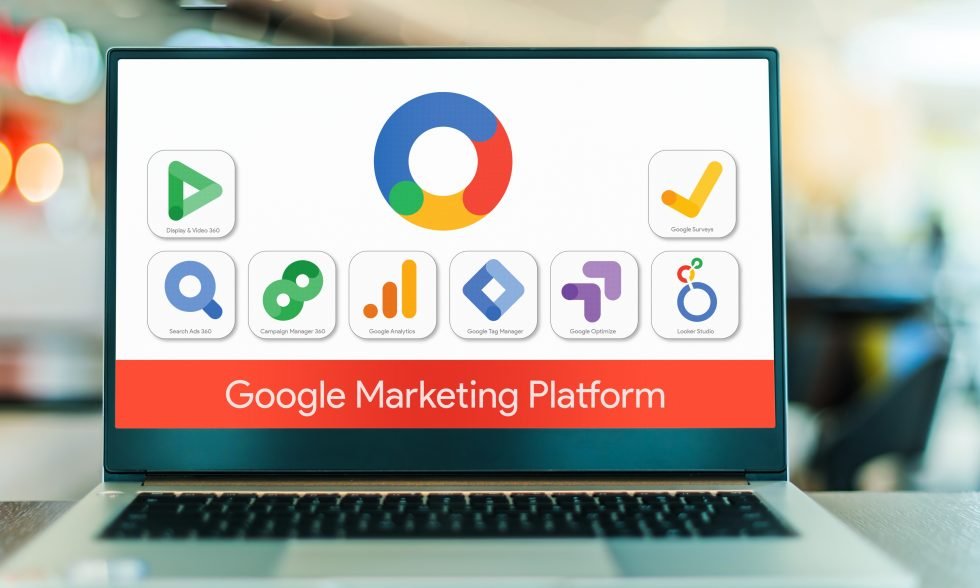
Google Ads are used by providers to manage campaigns targeting goals. They kick off their clients digital journey by conducting market research to identify the target audience.
Using these insights, providers craft and refine ad copy to ensure a click through rate. Agencies make use of Google Ads control.
Features to create an array of campaigns that include search ads, display networks and video ads. Managing multiple projects is made easy through a Google account.
Providers use this Google account to adjust the portfolio in alignment with client goals, such as boosting traffic, generating leads or increasing sales.
Marketing agencies leverage targeting techniques provided by the software to refine their audience selection process.
They consider factors like demographics, interests, behaviors and more. The platforms remarketing tools enable agencies to reconnect with customers in their services reducing inefficiencies.
Important Considerations When Choosing a Service Provider
When businesses seek to hire a marketing agency they should pay attention to the following aspects:
- Past Performance: Review the providers projects, case studies and results achieved for clients. Evaluate their ability to cater to your industry.
- Recognition: Look for agencies that hold certifications and badges showcasing their expertise in managing projects on the platform.
- Range of Services: Ensure that the agency’s services align with your needs and that they can handle types of Google Ads.
- Communication and Reporting: Opt for providers who excel in client communication and offer reporting practices to monitor progress and outcomes.
Managing Budgets
Losing a client due to ad spending is a way to harm your business relationships.
Therefore managing budgets is crucial for business growth. Achieving a good return on investment.
Marketing agencies use ad account to oversee projects for clients, accessing data and making budget adjustments through a user interface.
The advanced features of Google Ads make it easy for providers to handle their budgets efficiently giving them control over their spending.
By setting budget caps and using shared budgets marketers can allocate funds strategically based on their goals and priorities improving budget utilization across their client portfolio.
The Importance of Budgeting
Setting a budget serves as a foundation, for defining the scope and impact of a project. When companies establish a budget they accomplish the following:
- Focusing resources on the target audiences and formats
- Upholding discipline by avoiding unnecessary expenses
- Assisting in managing cash flow
- Evaluating performance in relation to investment to assess the strategy
- Adapting to market changes and adjusting messaging and formats as needed
Creating budgets for each user is vital. This approach ensures transparency. Enhances efficiency, throughout the advertising journey.
Tips for Budget Managing
Here are some useful tips for budget management:
- Set Clear Goals: Define the objectives you aim to achieve through your ads whether its increasing sales, generating leads or improving brand awareness.
- Understand Your Audience: Use tools to identify your target audience and tailor your strategies to meet their needs.
- Monitor Performance: Keep track of how your ads are performing and reallocate budgets from underperforming ads to successful ones.
- Adapt to Seasonal Trends: Stay alert to changes in supply and demand within your industry and capitalize on opportunities that arise.
- Optimize Budget Allocation: Make use of bidding tools and cost per click adjustments to maximize the impact of your budget. Invest in messages that offer value.
- Conduct A/B Testing: Experiment with ad formats and messaging techniques to find what works best for your clients.
These steps can help you manage your budget while achieving desired results in advertising campaigns.
Using Google Ads Budget Functions
Using the budgeting tools provided by Google Ad can benefit your marketing efforts. Here are some key features that can enhance your advertising strategy:
- Keyword Targeting
Selecting the keywords helps minimize wasted impressions and attracts relevant traffic to your website connecting potential customers with your products or services.
- Automated Bidding Strategies
These strategies, powered by AI, adjust bids in time helping you save money on each advertisement you run.
- Ad Scheduling
Displaying ads, during peak times can improve campaign performance by engaging with your target audience when they’re most likely to be receptive.
- Performance Planner
A tool that provides performance forecasts and offers insights on optimizing budget allocation for results.
- Geotargeting
Concentrate your advertising budget on areas where potential customers are located to maximize conversions and identify markets for expansion.
By leveraging these features businesses can boost their advertising performance make budget decisions and achieve outcomes.
Finding the Perfect Prospects
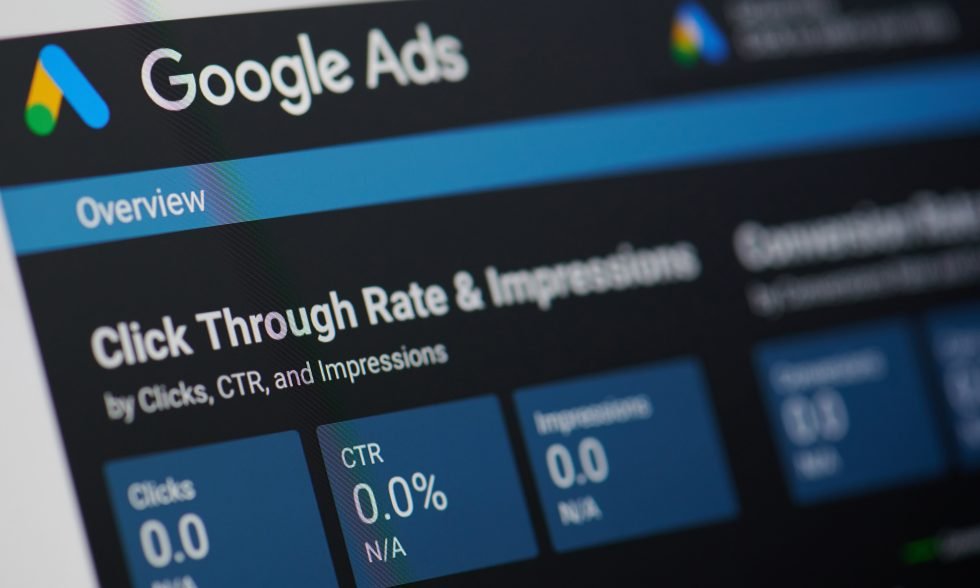
Understanding and analyzing your audience through Googles platform data allows you to tailor your messaging based on interactions with your ads.
This valuable data insight enables marketers and advertisers to refine their strategies, for increased engagement levels.
When companies personalize their communications to meet customer needs they enhance engagement. Increase the likelihood of attracting visitors to their online platforms.
This in turn aids them in achieving desired outcomes such, as boosting sales and expanding subscriber bases through newsletter registrations.
By examining data businesses identify areas for enhancement and allocate resources to maximize returns on investment.
The fusion of audience insights with data analysis serves as the cornerstone of a strategy.
The Advantages of Audience Analysis
Analyzing the target audience plays a role in any Google Firebase Ads initiative.
This approach enables advertisers to cut through the clutter and capture the attention of prospects by defining their target demographic based on factors like demographics, interests and search behaviors.
Prioritizing details empowers companies to tailor their messaging effectively. Leveraging user data assists in selecting formats bidding on keywords strategically and choosing suitable channels for promotion.
This tailored approach heightens the probability of achieving success.
Analyzing the audience strengthens the effectiveness of your marketing endeavors enabling you to optimize returns on investments by utilizing insights for resource allocation.
It guides marketers towards focusing on channels preferred by customers while steering clear of strategies based on data analysis.
Utilizing Data to Improve Your Projects
By utilizing insights, from Google Ads, service providers enhance their messaging optimization efforts.
This valuable information helps providers pinpoint the keywords refine ad placements and optimize bidding strategies.
Making decisions based on data empowers agencies to:
- Capitalize on emerging trends.
- Adjust strategies according to real time performance metrics.
- Tailor advertisements for an user experience.
- Reduce wastage on ads.
Relying on data driven insights enables businesses to increase their likelihood of achieving outcomes.
This approach ensures that your tactics evolve in line with user engagement and current trends. By leveraging information you can fine tune ads for performance.
Tools for Data Collection
Google offers a range of tools for advertisers to gather data and insights. These tools include:
- Google Analytics
This tool integrates with Google Ads to provide insights into user interactions with your website.
It offers details about the audiences demographics, interests and behaviors on the site.
- Google Ads Audience Insights
This software provides information, about audience engagement patterns.
Use it to analyze prospects lifestyles, browsing behaviors and how they compare with network users.
- Google Keyword Planner
Utilize the Google Keyword Planner to pinpoint keywords and search terms that potential customers are exploring. Utilize the tool to improve ad copy by aligning it with user intent.
- Customer Match
The Customer Match program allows advertisers to reconnect with customers across platforms using their data simplifying the targeting process.
- Google Ads Reports
Gain valuable insights into performance through custom reports provided by Google Ads. Evaluate metrics like impressions, clicks, conversions and ROI.
Assess each ad group for your Google Ads MCC account.
These tools help service providers craft a focused advertising strategy tailored to meet the interests and needs of their target audience.
Pairing these tools with analysis and adjustments lays a solid foundation for a successful project.
Benefits of utilizing a Google Ads Agency Account
Benefits of utilizing a Google Ads agency account include enhancing performance and effectively managing marketing campaigns.
Designed specifically for advertising agencies this platform offers a suite of tools that can be leveraged to optimize posts and achieve advantages.
- Unified Management
Key benefits for firms using this platform include management of client ad account through a single interface streamlining processes and improving overall efficiency.
- Feature Access
Google Ads provides tools for analysis and precise targeting that’re not available in accounts. It allows Google Ads expert to manage Google Shopping Ads, YouTube Ads, Display Ads, Google Tag Manager, and other Google Ads management service.
- Team Collaboration
Account members collaborate by assigning roles and tasks while ensuring data security.
- Benefits of Google Partnership
Users become Google Partners, unlocking perks, like features and dedicated support.
- Bulk Task Management
Agencies can update each advertising account, saving time and resources.
- Comprehensive Reporting
Providers keep clients informed by sharing project metrics through reports.
- Budgeting Assistance
The software enables agencies to manage budgets minimizing waste and errors.
Streamlined Campaign Management
Google Ads agency accounts simplify the process of navigating ads adjusting strategies and assessing performance metrics without the need to log into each account.
The convenience extends to handling projects through consolidation leading to increased user satisfaction as you enhance your services.
Using the Advertising Platform
Google Ads proves to be a tool for advertising offering reach and precise targeting options.
An Agency Account enhances these capabilities by providing tools designed for managing ad campaigns effectively.
By delving into analytics marketing agencies scrutinize every aspect of a campaign to gain insights.
This enables them to comprehend user behavior patterns and optimize ad performance to achieve returns on investment.
Furthermore integration with Google services such as Analytics and YouTube Ads enables users to refine their strategies across channels.
These components collectively contribute to the expertise that agencies possess in conceptualizing and executing advertising campaigns.
Crafting Refined Advertising Strategies
Businesses leverage their knowledge and resources to create online advertising strategies that resonate with their target audience.
With segmentation tools and a deep understanding of search trends they tailor messages for projects effectively.
Moreover companies utilize existing Google Ads to tune their strategies before expanding them
These aspects play a role, in developing data driven plans that serve as the cornerstone of ad campaigns.
Through campaign analytics businesses make informed decisions and adjustments that steer client accounts towards achieving their goals
Client Collaboration
Google Ads Manager platform grants clients access to your campaigns and data ensuring transparency throughout the planning process and enabling them to impact outcomes.
With the help of these collaboration tools you achieve the following benefits:
- Enhanced Transparency
The software enables all users to track project progress in time fostering trust and accountability, among stakeholders.
- Improved Client Engagement
Companies can incorporate client feedback to enhance their performance. Clients offer insights into their businesses and industries.
- Reporting and Communication
Customize. Automate updates to keep clients updated on key performance indicators (KPIs).
These functionalities facilitate relationships between clients and companies driving business growth.
By integrating these features into operations marketing firms deliver services. They can refine their advertising strategies while nurturing client connections.
Differentiating Agency Accounts from Individual Accounts
Google Ads access offers two types of accounts: Individual Accounts and Agency Accounts (also known as Google Ads Manager Account).
Understanding the distinctions between them is crucial for marketing professionals.
Depending on the type of account you use it will determine how advertising projects are managed and optimized:
- Individual Accounts
Individual Accounts cater to businesses or advertisers running their campaigns. This option is suitable, for those who’re not marketing service providers.
- Agency Accounts
Agency Accounts are tailored for agencies and professionals overseeing marketing campaigns. Managing Google Ads accounts for clients is a practice, in the advertising industry.
These accounts offer a solution for handling advertising strategies and budgets all in one place.
Agency accounts in particular stand out for their scalability and specialized features tailored to managing client accounts
Here are some key differences between agency accounts:
- Account Structure
Individual accounts cater to an advertiser while Google Ad agency accounts enable the management of multiple Google Ads account from a centralized platform.
- Permissions
Agency accounts provide levels of access for team control and collaboration.
- Features
While individual accounts have advertising features agency accounts come equipped with tools designed specifically for handling a larger volume of ads and performing data analysis effectively.
- Bulk Operations
Agency accounts offer bulk editing tools that are not available in accounts. These tools allow for making changes across accounts and ads
Understanding these distinctions is crucial, for agencies and businesses to make decisions when selecting the suitable Google Ads account model.
Whether we’re talking about Google AdWords, Google Analytics, Facebook Ad, TikTok Agency account, or forming an ad group, this guide should help you.


Sergiy Solonenko is the founder of Algocentric Digital Consultancy, a seasoned digital strategist, and a fractional CMO for B2B SaaS brands undergoing digital transformation. With over a decade of experience, he specializes in scaling demand-generation programs, optimizing account-based marketing, and aligning sales and marketing teams. Sergiy helps B2B SaaS companies enhance lead qualification, improve user experience through personalization, and leverage Martech to accelerate MRR growth.