Many businesses often ponder the question: Does Google Ads work and deliver results?
The idea of investing in paid traffic seems promising at glance. You invest money and expect to see a surge in website visitors.
However as you dive deeper into this investment you realize that the reality may not match your expectations.
The returns from endeavors can fluctuate significantly sometimes making it questionable to continue using ads.
The success of your campaigns hinges on factors like competition levels, the expertise of your Google advertising provider and the characteristics of your target audience.
When delving into the realm of Google Ads we prioritize monitoring metrics that directly impact the outcomes of your marketing efforts.
We delve into concepts such as keyword research, bidding strategies and budget planning – each playing a role in shaping your Google advertising campaigns.
By dissecting these components we aim to help you gauge the effectiveness of this marketing approach and make decisions on resource allocation within your organization.
Google Ads Fundamentals
Google Ads is a tool that empowers business owners to engage with customers effectively.
It serves as a platform for businesses to showcase their offerings on Googles network and associated platforms ultimately boosting their visibility and driving sales.
This online advertising service was formerly known as Google AdWords. It operates on principles centered around keywords and relevance.
To understand how Google Ads functions one must grasp its components. The platform offers access, to your advertising endeavors.
Utilize it to target keywords design ad layouts, plan budget strategies employ bidding techniques and monitor performance. Each of these elements plays a role in achieving outcomes with your content.
Mastering these facets enhances the success of your campaigns. It enables you to connect with your intended audience effectively.
By leveraging this tool you can achieve your marketing goals.
The utilization of personalized ads benefits all types of businesses regardless of their size or industry.
Every company derives some form of advantage from this advertising method. However navigating the intricacies of using Google Ads requires expert guidance.
Professionals are tasked with selecting keywords, managing budgets optimizing quality scores and analyzing conversion rates.
Much of this data analysis is facilitated through the use of Google Analytics.
By focusing on performance indicators (KPIs) and strategic processes businesses leverage the platform to engage their target audience at touchpoints along the customer journey.
The dynamic nature and measurable outcomes provided by this software make it a compelling choice for businesses looking to enhance their marketing efforts.
Through the Google Ads platform companies can showcase display ad and shopping ad. They utilize services offered by Google.
For instance you can take advantage of Google Shopping and Google Maps (for local services ads). Now that you have a grasp of the basics lets delve deeper into how the platform operates.
Lets explore its benefits and the effective strategies that help businesses connect with their customers.
What is Google Ads?

Google Ads is an advertising platform developed by Google where both B2C and B2B marketers compete to showcase personalized ads to users.
Businesses utilize it to convey messages to their target audience promoting services, products or video ad. These advertisements appear in search engine results (Google SERP).
It can also be displayed on Bing Ads, YouTube Ads, the Google Search Network well as, on websites, mobile app ads, and video ad through Google Display Ads.
The platform functions on a pay per click (PPC) model wherein advertisers are charged when a user clicks on their ad.
This approach enables advertisers to control their ad spend while enhancing visibility among customers. It works for Discovery Ads and any other ad format.
By integrating with tools like Google Analytics and Google Shoppingg you can enhance the effectiveness of your campaigns.
The integration capabilities of this platform are top notch allowing for integration of tools, for enhanced performance.
How Does Google Ads operate?
The key to a Google Ads campaign lies in the use of keywords.
These are the words or phrases that users input into search engines when looking for information, products or services.
Businesses utilizing Google Ads Manager compile lists of keywords related to their offerings and then compete for ad placement by bidding on these terms.
Before launching a campaign on the Google Network it is crucial to grasp an concepts:
- Campaign Types
Companies have various campaign options at their disposal, such as search ad campaigns Google Display Ads, app ads, shopping ad campaigns and smart campaigns.
Each type is tailored to achieve advertising goals.
- Advanced Targeting
With Google Ads, advertiser targets their desired audience based on demographics, interests, location and other criteria for precise targeting.
- Ad Formats
Explore ad formats like text ads, image ads (display ads) and interactive formats.
Google shopping ads are particularly effective, in showcasing product images and details.
When a user makes a search query the platform selects the advertisers from those participating in the Google Ads auction.
- Quality Score
Quality score holds importance on the platform as it assesses how well your PPC ads perform and their cost per click.
This metric considers factors like click through rate, content relevance and landing page quality.
- Strategy for Bidding
When it comes to bidding strategy advertiser can choose from strategies such as focusing on clicks, impressions or conversions on the Google Search Network.
Each strategy helps them achieve business objectives.
- Track Conversions
By utilizing conversion tracking users can understand how their ad clicks lead to customer actions, like purchases or sign ups, impacting company sales.
Google Ads Advantages
There are reasons to utilize Google Ads management:
- Targeting the Right Audience at the Right Moment
This platform enables businesses to reach customers when they are actively seeking specific products or services.
- Various Customization Options
Advertisers can customize their ads based on keywords, location, interests and specific times of day to reach the most relevant audience.
- Performance Measurement
The software provides tools for analysis and reporting. These tools offer insights, into the performance of advertisements.
Business owners utilize them to refine strategies and maximize return on investment for outcomes.
- Flexible Budget Management
Advertisers can set budgets for ads and make adjustments as needed. They also have the option to pause campaigns when necessary.
Managing Google Ads allows control over advertising expenses without going over budget.
- Improved Visibility
Through PPC advertising businesses can attract traffic from Google even if their website is not well optimized.
The audience generated from this platform is tailored to suit your products and services.
- Seamless Integration with Google Analytics
Linking Google Ads with Google Analytics enables you to analyze user behavior effectively.
Leveraging these insights helps in enhancing targeting efforts and boosting sales performance.
- Strategic Usage of Negative Keywords
By specifying keywords, businesses enhance the relevance of their campaigns reduce wastage and avoid displaying ads for terms.
Setting Up a Google Ads Campaign

Creating a Google Ads campaign requires expertise.
Therefore we recommend engaging a Google Ads agency. Utilizing this platform aids in expanding your presence and establishing connections with customers.
Business owners use Google Ads to share content aligned with their marketing goals.
Here are the necessary steps to prepare for launching a digital marketing campaign.
Setting Up Your Google Ads Account
Before diving, into your efforts you must first establish an account.
Here’s how you can do it:
- Visit the Google Ads website. Click on ‘Get Started.’
- Sign in using your Google account. If you don’t have one yet you’ll need to create it.
- Kick off by configuring your campaign and selecting your goals. For instance opt to drive website traffic generate phone calls or increase product sales.
- Input your business name and website details.
- Google will guide you through setting up billing information and account preferences.
Once the account setup is complete you can begin creating your campaigns.
Specify details such as target audience, keywords, budget distribution and bidding tactics.
Understanding Your Target Audience
Defining who your target audience is crucial, for boosting sales. Here are key factors to consider:
- Demographics
Get acquainted with the age, gender, income levels and educational backgrounds of customers.
- Understanding Customer Interests and Behavior
It’s important to recognize the preferences buying patterns and behaviors that characterize your customer base.
- Targeting Specific Locations
Define the areas where you want to connect with customers whether its on a scale or, down to a specific zip code.
- Usage of Different Devices
Identify the devices that your target audience uses, such as smartphones, tablets or desktop computers.
- Timing Considerations
Decide on the times of day to showcase your ads for relevance to users.
By establishing these criteria you can enhance the effectiveness of your marketing strategies.
This ensures that your advertisements are seen by users who have an interest in what you have to offer.
Selecting Appropriate Keywords
The choice of keywords influences when and where your ads appear. Follow these steps when compiling a keyword list:
- Relevance Factor
Choose keywords that are closely tied to the products or services you offer. They should drive sales opportunities.
- Search Volume Analysis
Assess how frequently keywords are used in search queries. Higher search volume indicates interest levels.
- Competition Evaluation
Understand the level of competition for keywords and how it impacts advertising costs.
- Intent Assessment
Evaluate whether the selected keywords align with what customers are searching for.Your clients seek information browse the web and make decisions on purchases.
Utilizing tools, like Google Keyword Planner can help identify keywords. It allows you to estimate bidding costs.
Setting a Budget
Your daily budget reflects the amount you’re willing to spend on ads each day.
Here are some tips to get you started with Google Ads management:
- Begin with a budget if you’re new to the platform.
- Gauge how your campaigns perform before increasing your investment.
- Determine the cost per click for your selected keywords.
- Estimate how many clicks your budget can generate.
- Consider your conversion objectives. What your ad spend can accomplish.
- Monitor your campaigns performance closely.
- Adjust your budget for results.
Remember, the platform allows flexibility in adjusting your budget and adapting to trends.
Choosing a Bidding Strategy
Your bidding strategy dictates how you set prices for your ads and manage costs.
Here are some popular strategies:
- Cost Per Click (CPC)
Ideal for driving website traffic, where you pay each time someone clicks on your ad. It’s a concept used across PPC platforms.
- Cost Per Mile (CPM):
Ideal for boosting brand recognition through displaying your ads to a thousand viewers without increasing sales.
- Cost Per Acquisition (CPA):
Effective when aiming for actions such as conversions or sign ups where you pay when users take desired actions.
Before selecting your bidding strategy it’s essential to define your campaign goals. Determine if you want to drive website traffic generate leads or enhance brand awareness.
By adhering to these principles, you can create a Google Ads campaign tailored to your target audience.
This detailed approach helps optimize your budget. Brings you closer to achieving your marketing objectives.
Remember that launching the search ad campaign is the first step. Continuous refinement and adjustments are necessary over time for performance.
Optimizing Google Ads
To effectively optimize your ads, attention to detail is crucial. Your campaigns demand an approach and strategic tweaks to yield results.
Through optimization efforts your messages can resonate with the audience leading to increased engagement rates and conversions.
Key strategies involve keyword selection enhancing ad content marketing and tailoring ads for the target demographic.
Successful optimization plays a role in maximizing returns on investment.
Boost Quality Score
To make sure your campaigns reach the audience meet users needs and are cost effective you need to focus on improving Quality Score.
Quality Score evaluates how relevant and high quality your keywords and PPC ads are.
Enhancing your Quality Score is vital for the success of any Google Ad campaign as it directly impacts your Ad Rank and cost per click.
Here are some effective strategies to elevate your Quality Score:
- Enhance Keyword Relevance: Refine your keywords to ensure they align closely with your ad content marketing and linked pages.
- Optimize Ad Copy: Craft ad copy that resonates with your target audience and incorporates keywords while relating to the landing page.
- Improve Landing Page Quality: Optimize landing pages for an user experience by enhancing loading speed and implementing top SEO services.
- Increase Click Through Rate: Elevate CTR by creating search ads that captivate users with language.
- Utilize Ad Extensions: Integrate ad extensions to boost ad visibility and CTR.
By making adjustments, over time you can enhance your Quality Score effectively. Use SEO services and Google properties to enhance results.
By doing this, you enhance your positioning, minimize wastage and increase your return on investment.
Elevating Conversion Rates
Having conversion rates serves as an indicator of a successful advertising strategy. There exist approaches to elevate conversion rates, such as:
- Crafting messages that address the needs and preferences of your target audience fostering engagement.
- Ensuring that your landing pages are user friendly optimized for all devices and include calls to action.
- Conducting A/B testing to explore elements in your advertisements and landing pages. Enhance your headlines and visuals to identify what resonates most with your audience.
- Incorporating keywords to filter searches and focus on phrases, for customers.
- Employing conversion tracking to monitor user behavior and adapt your strategies accordingly. Understand which actions drive conversions effectively.
Analyzing Information from Google Analytics
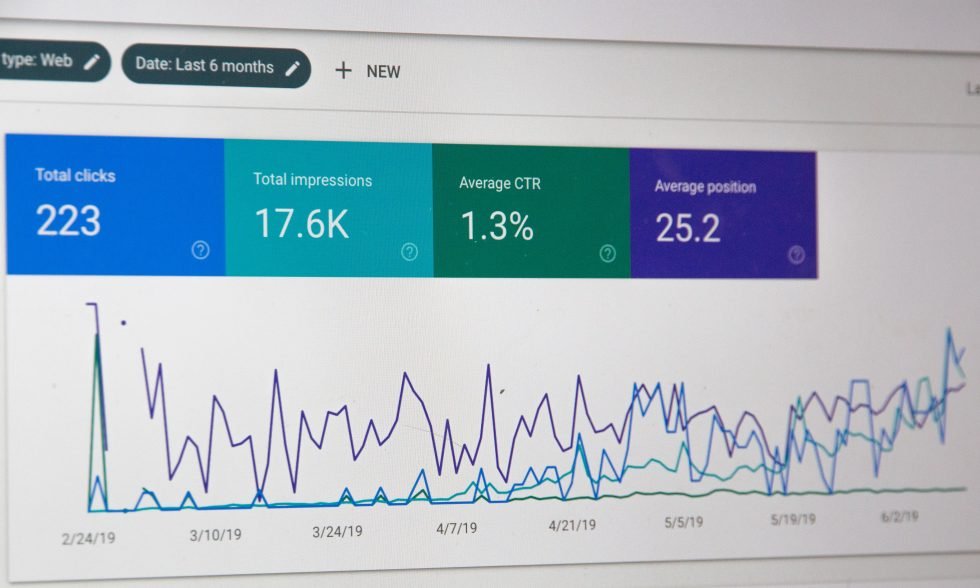
The tool is great, for monitoring the performance of a website. It offers insights into website traffic and user engagement.
Here are some of the insights you can gather from this platform:
- Understand how users interact with your website post click. Identify the pages they visit and their duration on each page.
- Recognize which advertisements lead to increased conversions and pinpoint areas that need enhancement.
- Discover diverse user data, such as demographics, interests and preferred devices.
- Evaluate bounce rates to assess the effectiveness and engagement levels of your landing pages.
- Utilize Google Analytics to track traffic sources and evaluate channel performance. Analyze traffic generated from Google Ads and other platforms.
By leveraging data from Google Analytics you can make informed choices to enhance your Google Adwords and Bing Ads.
Adjusting Budgets and Bids
To improve Google Ads cost, it’s essential to tune your bidding tactics and optimize budget distribution.
- Monitor campaign performance over time to ensure that your spending aligns with your marketing goals.
- Adjust bids based on keywords optimal ad placements and target audience segments. Aim for success rates with your advertisements.
- Adjust your budget to prioritize ad group and keywords that produce the results.
- Utilize the platforms automated bidding strategies for adjusting bids with intervention.
- Consider implementing budgeting strategies during peak seasons or special promotions. Be prepared to adjust bids when competitors increase their CPCs.
Effective management of bids and budgets based on data is essential for maintaining competitiveness.
By incorporating these tactics you can improve the performance of your advertisements leading to campaign outcomes and messaging that resonates with your target audience all while requiring effort on your part.
Monitoring Success and ROI
We utilize metrics to evaluate the success of our advertising campaigns. Among these performance indicators (KPIs) ROI stands out as significant.
Business owners use ROI as a measure to ensure that their online advertising investment is generating returns.
To gain insights into returns and other relevant metrics we leverage data analytics software.
Implementing Conversion Tracking
Through conversion tracking you can analyze the actions taken by website visitors after clicking on your ads ranging from signing up for a subscription, to completing a contact form.
By focusing on these interactions business owners can identify which keywords and ads are driving customer engagement.
To set up conversion tracking you’ll need to make some adjustments, in the Google Ads platform.
Specifically you must insert a code snippet, also known as a tracking tag onto your website. This tag tracks actions taken by visitors who arrive at your site through ads.
By analyzing this data we can understand the impact of our campaigns on conversions.
Here are some recommended practices for monitoring conversions:
- Define what qualifies as a “conversion.”
- Implement the conversion tracking tag on your website.
- Organize conversion data by campaign, ad group or keyword to gain insights.
- Analyze the conversion data to evaluate the effectiveness of your ads and make adjustments.
This information provides insights to optimize campaigns for results.
Calculating Cost per Acquisition
The average cost per acquisition is a metric that illustrates how paid campaigns influence your business.
This metric determines the amount spent to acquire a customer through advertising efforts. To calculate CPA divide the cost of conversions by the number of conversions.
Understanding your CPA helps determine the cost of acquiring customers. A lower CPA indicates campaign management.
It’s important not to overlook factors such, as customer lifetime value as they also indicate the users worth.
Assessing Return on Investment
Determining ROI involves evaluating how profitable your Google Ads are compared to their expenses.
To calculate ROI you subtract the ad expenditure from the revenue earned. Then divide that figure by the ad costs.
A positive ROI signifies that revenue exceeds costs while a negative ROI indicates a loss on the investment.
Regularly reviewing this metric enables you to make adjustments improving your campaign outcomes.
Strategies for Campaigns
Your strategy forms the foundation for your marketing endeavors.
To maximize results on this platform advertisers should explore strategies.
Ideally marketing agencies should bid on keywords aligned with customer intent. Maintain a Quality Score through relevant content and enhanced landing pages.
Additionally by analyzing cost per click for your target audience you can optimize your budgets. Set expectations.
Through utilizing campaign types and ad formats advertisers engage effectively with their desired audience.
This increases visibility of Google Search Ads and across the Google Display Network.
Focusing on Specific Geographic Areas
Business owners can use location targeting features to direct their advertising efforts, towards regions.
By utilizing this tool they can reach out to customers who’re more likely to become paying clients.
The functionality is quite intricate. Goes beyond pinpointing a location.
Users can narrow down their target area by specifying a radius selecting points of interest or excluding locations that’re not in line with their business goals.
This approach is particularly advantageous for businesses or companies that cater to a market.
Tailoring ads based on locations ensures that your promotional efforts reach the audience potentially leading to higher click through rates and better returns on investment.
Exploring Advertising Campaigns (Search, Display, Shopping)
Google Ads key strength lies in its flexibility and versatility.
Advertisers have access to types of campaigns that allow them to tune their marketing strategies:
- Search Campaigns
These campaigns consist of text based advertisements displayed on Google search results pages.
They are effective in capturing the attention of users actively looking to make a purchase.
By targeting keywords related to your offerings, Google Search Ads help connect users with products and services they’re interested in.
It excels for local services ads, improving ad rank in local results.
- Display Campaigns
During display ad campaigns appealing ads are showcased across the Google Display Network. These marketing strategies serve purposes like increasing brand visibility or engaging with website visitors.
- Product Campaigns
Ideal, for businesses these advertisements display your items along with pricing and features.
By combining these tactics you expand your reach. Connect with potential customers effectively.
Implementing Smart Ads
Smart ads offer a solution, for business owners who may not have the time or expertise to manage campaigns.
This feature uses machine learning to optimize ads and target audiences likely to make a purchase.
Advertisers simply need to provide business information create an ad and set a budget.
Googles algorithms handle the rest by selecting the bidding strategy and identifying the target audience.
Utilizing Negative Keywords

These are words you exclude from your advertising campaigns to ensure that your ads do not appear in searches related to your business.
By using keywords entrepreneurs can:
- Avoid showing up in searches
- Improve click through rates by targeting more relevant traffic
- Lower Google Ads cost per click by focusing on pertinent keywords.
By incorporating these strategies you enhance the effectiveness of your targeting efforts.
Utilize exclusionary keywords to steer clear of phrases that have shown performance over time. Concentrate, on phrases that align with your business and drive revenue growth.
Leveraging Google Shopping
Google Shopping campaign enables businesses to showcase their products within the natural search results.
This functionality exhibits product visuals, prices and brand names that’re pertinent to users search queries.
The Google Shopping Ads management enriches the online shopping journey for consumers while also amplifying visibility and sales for merchants.
For outcomes, it is imperative to ensure that your product data feed includes details about your offerings.
Leveraging high quality imagery enhances the prominence of your shopping campaign amidst competitors.
By incorporating these strategies into the marketing process a digital marketing agency crafts a Google Ad campaign targeting the audience with compelling messages at the right moment.
This strategy ultimately leads to increased conversions. It Maximizes return on investment.
Whether you’re using Google Marketing, Google Maps, Google Ads auction, Google Play, Google SERP, YouTube Ads or some other Google ad format, this guide should help you out.

Sergiy Solonenko is the founder of Algocentric Digital Consultancy, a seasoned digital strategist, and a fractional CMO for B2B SaaS brands undergoing digital transformation. With over a decade of experience, he specializes in scaling demand-generation programs, optimizing account-based marketing, and aligning sales and marketing teams. Sergiy helps B2B SaaS companies enhance lead qualification, improve user experience through personalization, and leverage Martech to accelerate MRR growth.