
If you have a business website, you’re probably aware of the importance of SEO optimization. Search engine optimization helps your website content rank on Google and other search engines. This attracts traffic and allows you to build your own audience.
For SaaS businesses, it’s crucial to stand out from the competition and determine their unique competitive advantages. To do so, they will need to ensure their website is flawless. How else can you rank high on search engines like Google if it uses more than 200 ranking factors?
Technical SEO refers to the website’s infrastructure optimization with a goal to improve its visibility and performance. If you take care of your technical SEO, your website will be easier to crawl, index, and rank the content.
A SaaS website that is not properly optimized will struggle to attract new customers and sell their SaaS products. That is why we’ve created this detailed checklist with over 170 technical SEO factors to enhance your SaaS SEO.
Make sure you implement all these elements. They can be implemented while building the website or at any moment after that. Keep in mind that optimization should be performed regularly on your website if you want to be in front of your competitors.
Use this checklist to ensure your SaaS website is well optimized at all times. Reach out to a technical SEO specialist or a digital marketer with experience in this field if you need additional help.
Introduction to SaaS Technical SEO
Before we dive into our SaaS technical SEO checklist, let’s take a moment to define technical SEO for SaaS.
The objective of technical SEO is to ensure Google can crawl, index, and rank your SaaS website efficiently. Such an optimization should include your website’s backend, infrastructure, and performance.
However, many confuse it with content and off-page SEO. Because it’s the most known type of optimization, content and off-page SEO are simply called SEO. The truth is that the entire area of SEO consists of the optimization of your website, content, and backlinks.
That being said, you will have to be careful when communicating your SEO needs with an SEO consultant or SaaS SEO agency. Do you need to optimize your content? Do you need help with creating new blog articles? Do you want to optimize your entire website?
If you opt for SaaS technical SEO, these are the areas you will need to take care of:
- Website crawling and indexing
- Website architecture and structure
- Site speed and performance
- Mobile-friendliness
- Security and HTTPS
- Structured data and rich snippets
- Handling duplicate content and thin pages
- International SEO
- Log file analysis
- Regular technical SEO audits
Unique SEO Challenges for SaaS Companies
Compared to other industries, SaaS businesses face unique challenges when it comes to SEO. If you want to have a successful and efficient website, you will have to be aware of these SEO challenges.
-
Competitive Market
A SaaS company competes in a highly competitive market. Your online competition is big companies with high domain authority, making it difficult for you to stand out. This is a common challenge for most new and small SaaS companies.
-
Keywords with Low Search Volume
Another challenge you might face is that the relevant keywords you want to rank for have a low search volume. Many SaaS products are solving problems that potential customers aren’t aware of yet. As you need to educate them on how your solution solves their problems, it could be tricky to rank for such keywords.
-
Pages with Low SEO Value
Your SaaS website has pricing, free trial, and demo pages, as they are crucial for conversations. The issue with such pages is that they lack SEO value. They will lack content, which is essential for high search engine ranking.
-
Complex Buyer Journeys
Because SaaS products and services are not straightforward, potential customers must research extensively before purchasing. They will compare your solution against your competitors before conversion. All of this extends the buyer’s journey and sales cycle.
Depending on the nature of your SaaS solution, you might face more SEO challenges. Luckily, there are solutions to each of these obstacles. Applying them step by step will help you connect with your target audience and convert them.
Technical SEO for SaaS Businesses
We will break down each of these areas of technical SEO below. As a SaaS business, you will need to take care of them all to stay competitive. Without it, you will struggle to attract potential clients and build a name for yourself in the industry.
-
Website Architecture, Crawling, and Indexing
You will have to make your website discoverable if you want to run a successful B2B SaaS business. This implies a clean and efficient website architecture and indexing.
When it comes to website architecture and indexing, these are the aspects you need to take care of:
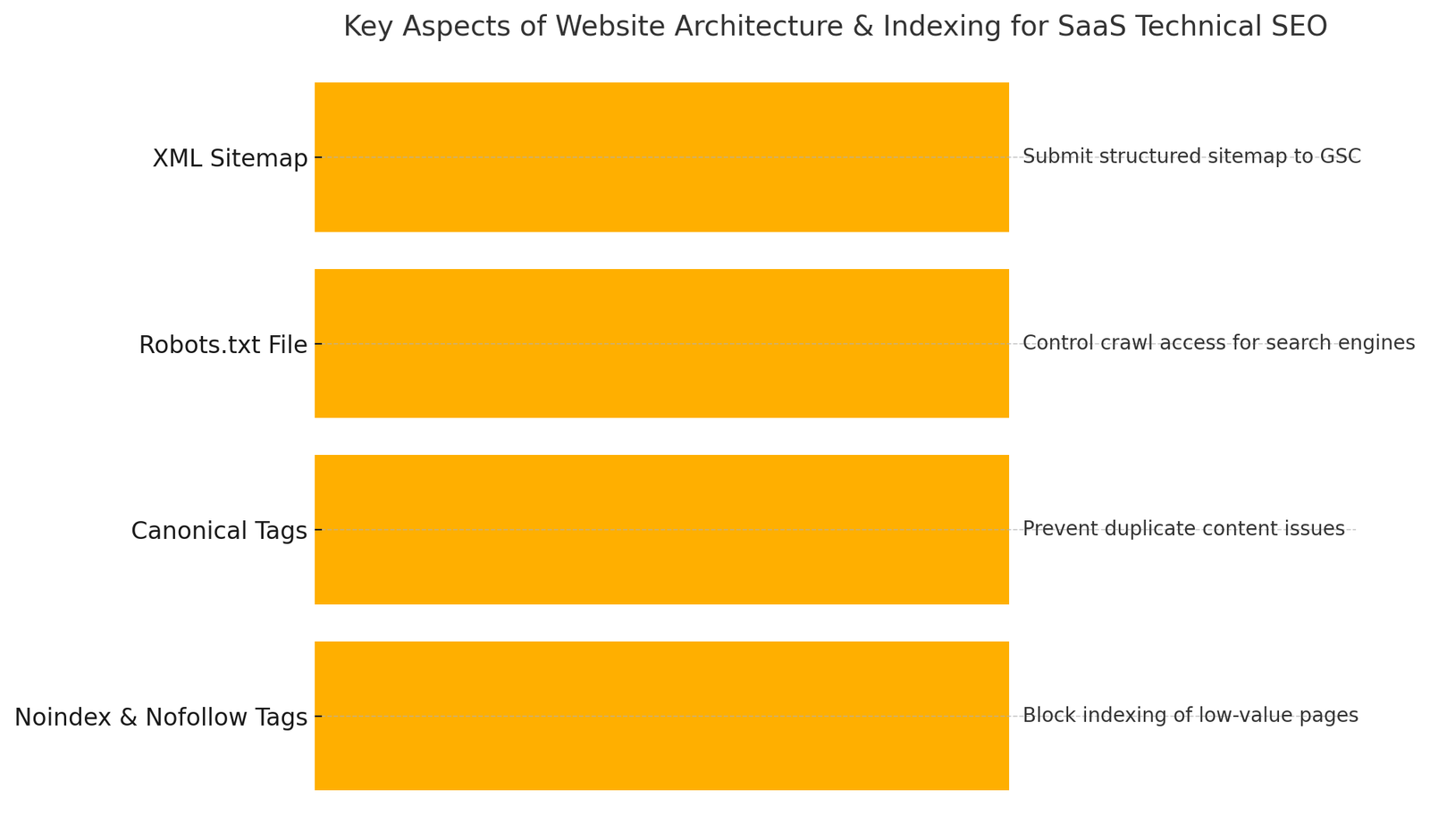
- XML Sitemap. Ensure a properly structured XML sitemap is submitted to Google Search Console.
- Robots.txt File. Control which pages search engines can or cannot crawl.
- Canonical Tags. Prevent duplicate content issues by pointing search engines to the preferred version of a page.
- Noindex & Nofollow Tags. Stop search engines from indexing low-value pages (e.g., thank-you pages, internal search results).
If you haven’t worked on your website architecture and indexing yet, you will need to check a few elements. If your website is new, make sure it is indexed. You can check if your website is indexed by typing site:yourwebsite.com into Google. If your website doesn’t appear, it means it is not indexed.
If your important pages aren’t indexed, check if they are blocked in robots.txt or tagged with noindex.
Website Architecture and Indexing Checklist
- Index your website/pages.
- Optimize your robots.txt file.
- Submit and optimize your XML sitemap.
- Use canonical tags to avoid duplicate content.
- Remove noindex tags from important pages.
- Improve internal linking for better crawling.
- Use structured data to improve indexing and visibility.
- Monitor crawl and indexation issues in Google Search Console.
- Regularly audit and improve crawlability.
-
Site Speed and Performance
Site speed is crucial for SaaS websites. It directly impacts user experience (UX), conversion rates, and SEO rankings. Google considers page speed a ranking factor, and slow-loading sites lead to higher bounce rates. Higher bounce rates lead to poor lead generation and low trial sign-ups.
When your website performs better and quicker, it offers a range of benefits. With a fast and efficient website, you can expect:
- Better SEO Rankings. Google prioritizes faster websites in search results.
- Higher Conversions. A 1-second delay in load time can reduce conversions.
- Lower Bounce Rate. Slow sites frustrate users, leading them to leave before exploring your product.
- Improved Core Web Vitals (CWV). Google’s LCP, FID, and CLS metrics directly impact rankings.
If you’re new to technical SEO, this information might be overwhelming for you. You might wonder where to find data on your website’s speed and performance.
Use Google PageSpeed Insights to check your website’s CWV. Google’s CWV shows how fast, interactive, and stable your SaaS website is. This metric consists of three key parts:
- Largest Contentful Paint (LCP). Measures how fast the main content loads (ideal: < 2.5s).
- First Input Delay (FID). Measures how quickly the page responds to user interactions (ideal: < 100ms).
- Cumulative Layout Shift (CLS). Measures how much elements move during load (ideal: < 0.1).
To measure site speed and performance, you can use Google PageSpeed Insights, GTmetrix, Lighthouse, Cloudflare CDN, and WebPagetest.org.
Site Speed and Performance Checklist
- Reduce Time to First Byte (TTFB).
- Use a Content Delivery Network (CDN).
- Enable browser caching.
- Optimize JavaScript and CSS.
- Optimize images and videos.
- Optimize fonts and icons.
- Optimize SaaS dashboard and interactive pages.
- Ensure responsive design.
- Upgrade hosting to handle traffic.
-
Mobile-Friendliness
You probably know that your SaaS website needs to be mobile-friendly. That doesn’t only mean that it’s enough to provide a responsive design. To have a truly mobile-friendly website, you will need to cover several aspects of mobile-friendliness.
It shouldn’t surprise you if the majority of your current traffic comes from mobile devices. After all, over 61.5% of global internet traffic comes from mobile devices. This means your SaaS website needs to be fast, responsive, and easy to navigate on smartphones and tablets.
Mobile-friendliness improves user experience (UX). Most SaaS users browse pricing, features, and blogs on mobile before signing up. If your website has a poor UX, your potential clients will leave the website and go to your competitors.
With mobile-friendliness, you can count on higher conversions. If your visitors can easily find the information they need, they are more likely to sign up or purchase.
In terms of SEO, mobile-friendly websites will rank better on Google and other search engines. Google prioritizes websites with responsive design, so make sure each element of your website looks good on mobile.
You can easily test the mobile-friendliness of your website through these tools:
- Google Mobile-Friendly Test
- Google PageSpeed Insights
- Chrome DevTools
Once you are done with the optimization of this area, your website shouldn’t have the following:
- Too small or cut-off text
- Buttons that are hard to click on
- Zooming or scrolling sideways is required to navigate the website
- Slow loading time on mobile
- Pops-up disrupt navigation
Mobile-Checklist
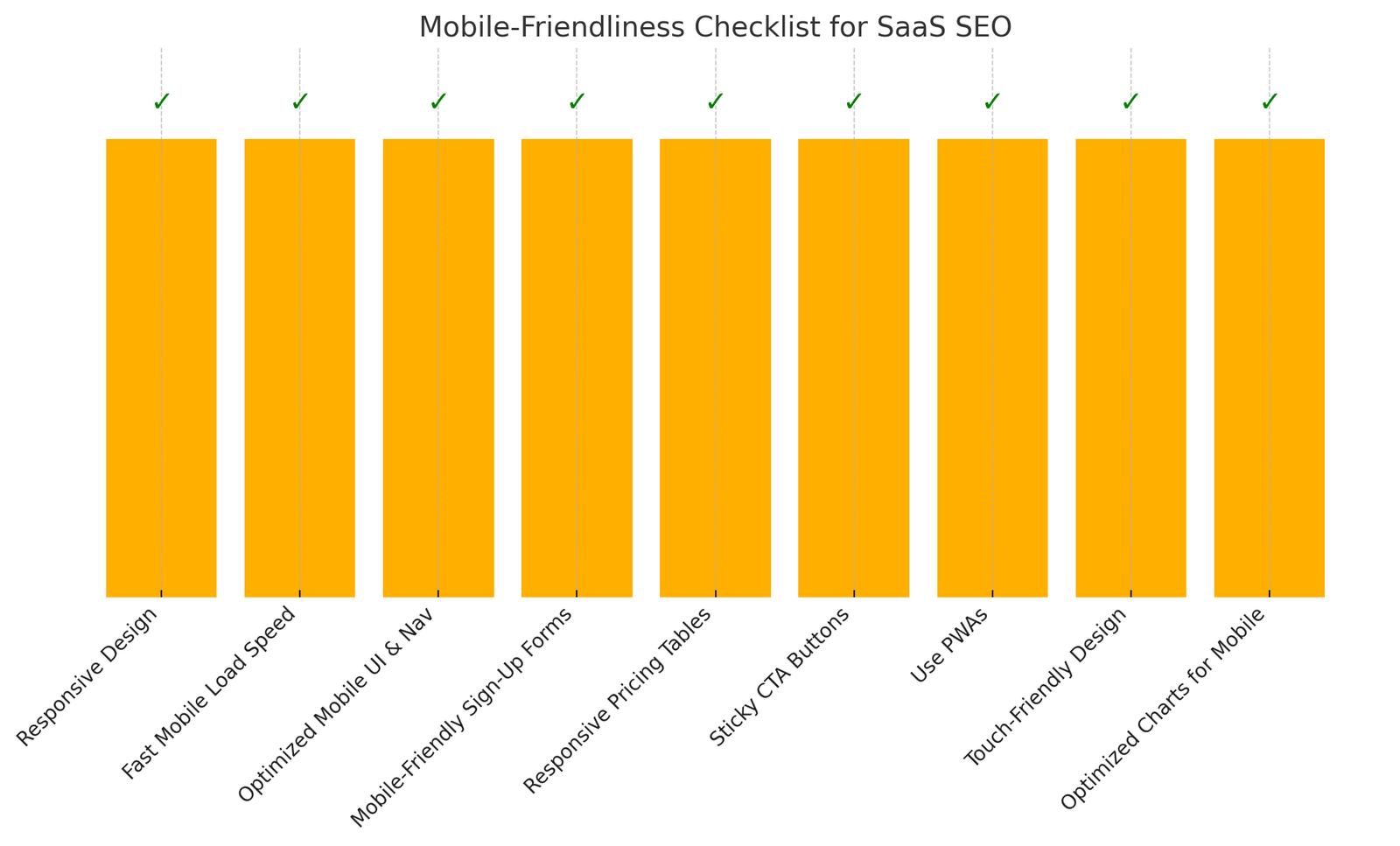
- Use a fully responsive design.
- Improve mobile page load speed.
- Optimize navigation and UI for mobile users.
- Optimize SaaS sign-up and forms for mobile.
- Make pricing tables mobile-friendly.
- Use sticky CTA buttons.
- Use Progressive Web Apps (PWAs).
- Implement a touch-friendly design.
- Optimize charts and data for mobile.
-
Security and HTTPS
Security is a top priority for all SaaS websites. This type of website handles user data, payments, and sensitive business information. A security breach can lead to loss of customer trust, financial damage, and even legal issues.
If your website doesn’t seem secure enough, a potential client will not leave you their contact or any other personal information. As your goal is to sell your SaaS solution, it’s essential to take care of website security and show your audience that they and their information are safe with your business.
Security is essential for all SaaS businesses due to the following reasons:
- Protects user data. SaaS platforms store login credentials, payment details, and business data. A breach can expose this information.
- Boosts SEO and trust. Google gives ranking preference to HTTPS websites.
- Prevents hacks and attacks. SaaS websites are prime targets for DDoS attacks, SQL injections, and phishing scams.
- Ensures compliance. SaaS businesses must comply with security standards like GDPR, CCPA, and SOC 2.
Security and HTTPS Checklist
- Ensure your website uses HTTPS.
- Install an SSL certificate.
- Enable HTTP Strict Transport Security (HSTS).
- Use strong password policies.
- Enable Two-Factor Authentication (2FA).
- Limit login attempts.
- Use Single Sign-On (SSO) for enterprises.
- Use a Web Application Firewall (WAF).
- Implement rate limiting.
- Sanitize user inputs to prevent SQL injection.
- Encrypt stored data.
- Perform regular backups.
- Use API Authentication (OAuth, JWT, API Keys).
- Monitor API traffic for unusual activity.
- Enable fraud detection.
- Perform regular security audits.
- Keep software & plugins updated.
-
Structured Data and Rich Snippets
Structured data is essential for SaaS websites to enhance search visibility, improve click-through rates (CTR), and provide richer search results. By implementing schema markup, search engines can better understand your content marketing efforts and display rich snippets in the search results. Examples of such reach snippets are FAQs, reviews, pricing, and product features.
Rich snippets will attract more clicks. Let’s say you’re looking for pricing information for a certain piece of SaaS software solution. If Google shows a range of pricing provided by a certain website, you will be more likely to visit that website, right? That leads to higher click-through rates (CTR).
Structured data and rich snippets will also enhance search appearance and voice search. The better you structure your website data and content, the better Google will understand it – and rank it higher.
These are structured data relevant for SaaS business websites:
- Organization schema
- SaaS product schema
- FAQ schema
- Review schema
- How-to schema
- Video schema
Structured Data and Rich Snippets Checklist
- Use JSON-LD format.
- Add structured data only to relevant pages.
- Validate structured data using Google’s Rich Results Test.
- Monitor performance in Google Search Console.
- Add the company name, logo, website URL, and contact details.
- Include social media profiles (LinkedIn, Twitter, Facebook).
- Add a customer support phone number and email if available.
- Define the product name, description, and URL.
- Include pricing, currency, and availability.
- Specify supported operating systems (Web, iOS, Android, etc.).
- Add frequently asked questions related to your SaaS product.
- Keep answers concise and relevant.
- Include keywords naturally for better search visibility.
- Include customer reviews and ratings.
- Use aggregate ratings.
- Ensure ratings match actual customer feedback.
- Include step-by-step instructions for using your SaaS platform.
- Use text + images to improve readability.
- Ensure steps are clear and actionable.
- Include video title, description, thumbnail, and duration.
- Provide direct URLs to video content.
- Add embed URL if hosted on YouTube or Vimeo.
-
Handling Duplicate Content and Thin Pages
Duplicate content and thin pages can hurt your SEO performance. This can lead to lower rankings, keyword cannibalization, and wasted crawl budget. SaaS websites often struggle with duplicate or low-value pages. This can be the result of dynamic URLs, faceted navigation, auto-generated pages, and multiple content versions.
Duplicate content might not seem like a big issue for your website, but it can harm your website performance in numerous ways:
- Keyword dilution. Google doesn’t know which version to rank, so it splits ranking signals.
- It was a wasted crawl budget. Googlebot wastes time crawling duplicates instead of indexing new content.
- Loss of link equity. Backlinks get spread across multiple versions instead of consolidating.
- Poor user experience. Confusing URLs can lead to lower engagement and higher bounce rates.
To ensure your website doesn’t have duplicate content, you will need to fix the above-mentioned technical SEO issues. Before doing that, you will need to understand why your website has duplicate content.
These are the common causes of duplicate content for SaaS websites:
- Multiple URL variations
- WWW vs. Non-WWW and HTTP vs. HTTPS
- Session IDs and tracking parameters
- Staging or test environments
- Auto-generated pages
- Localized versions without proper hreflang tags
Duplicate Content and Thin Pages Checklist
- Use canonical tags.
- Implement 301 redirects.
- Use hreflang for multi-language SaaS pages.
- Use noindex for unnecessary pages.
- Clean up URL parameters in Google Search Console.
- Block staging/test environments with Robots.txt.
-
International SEO
With international SEO, you can optimize your SaaS website for multiple countries and languages. Its goal is to enhance your website’s visibility on Google and other search engines across different countries and in different languages. This requires strategies like localized content, language tags, and URL structures.
If you want to sell your product in different countries, you will need to have a multi-language website. This doesn’t simply mean that you’ll translate content across all your pages. You will need to create content, including images, videos, and text, that is tailored to the specific language and culture of the target audience.
This is where hreflang comes in handy. It helps with language and region targeting and tells search engines which language and region the content ranks for. Just like you’ll need to create specific content, you will need to build local relevance. Make sure you obtain backlinks from websites with high authority in the target regions.
To ensure high-quality content, consider hiring native speakers instead of relying solely on machine translation. Your potential clients will look for value in your content, and offering generic information can only harm your business.
International SEO Checklist
- Create tailored content for each of your regions or languages.
- Obtain backlinks from trusted websites in the target regions.
- Research how users in the target countries search and what keywords they use.
- Ensure accurate translations and consider hiring native speakers for content creation.
- Be mindful of regional preferences and cultural norms when creating content.
- Use structured data to help search engines understand the context of the content.
-
Log File Analysis
Log file analysis is a crucial aspect of technical SEO. It involves examining server logs to understand how search engines interact with your website. They do so by revealing crawl errors, identifying issues, and optimizing for better search engine visibility.
Log files are records of all requests made to your web server, essentially a “sign-in sheet” for your website, detailing who visited, what they requested, and when. These files contain valuable data about server activity, such as:
- IP addresses
- User agents
- Requested URLs
- Response codes
- Timestamps
Log files are typically in a text format, which can be analyzed using specialized tools. They provide insights into how search engine bots (like Googlebot) crawl and index your website.
With log file analysis, you can:
- Identify crawl errors. You can detect issues like 404 errors (page not found), 301 redirects (permanent redirects), and other problems that can hinder crawling and indexing. The average website has 404 errors on 2.4% of its pages, hindering user experience and potentially impacting SEO.
- Optimize crawl budget. Analyzing log files helps you understand where your crawl budget is being spent, allowing you to prioritize important pages and avoid wasting resources.
- Improve site performance. By identifying and fixing crawl errors, you can improve your website’s overall performance and search engine rankings.
- Detect site health issues. Log files can reveal issues like server downtime, slow response times, or other problems that can negatively impact user experience and SEO.
- Monitor search engine behavior. Log file analysis helps you track how often search engines visit your site, which pages they prioritize, and how they interact with your content.
Log File Analysis Checklist
- Obtain your server’s log files from your hosting provider or web server software (e.g., Apache, Nginx).
- Utilize a specialized tool to upload and analyze the log files.
- Identify patterns, trends, and errors in the log data.
- Address any issues identified during the analysis to improve your website’s technical SEO performance.
-
Regular Technical SEO Audits
Just like you need to regularly optimize your content, you will need to do the same with your website infrastructure. A regular technical SEO audit can help you detect issues on time and prevent them from occurring in the future.
You can develop preventive strategies if you have occurring issues. Regularly checking your SaaS website health allows you to always be on top of the game. This leads to a wider audience, higher engagement and conversion rates, and a sales boost.
Use our SaaS technical SEO checklist to audit your website regularly. Depending on your resources, you can audit your website monthly or quarterly. That said, if you audit your website once a year, it might generate a long list of issues. Not to mention that during that time, your website will suffer a range of negative consequences, such as low traffic and sales.
Conclusion
If you want your website to rank high on a search engine, you will need to take care of its technical SEO. With a regular technical SEO audit, you can start noticing positive numbers in Google Analytics or any other SEO tools you use.
With our technical SaaS SEO checklist, you can perform thorough SEO optimization. This checklist can also feed your overall SEO strategy, including your content SEO, enterprise SEO, and local SEO. With tech SEO, you can perform a quality site audit, from checking your core web vitals to handling duplicate content.
Most companies only focus on their content checklist when talking about SEO audit. Using our SaaS SEO checklist allows you to stay on top in this competitive market. If your SaaS company doesn’t have an expert with deep SEO insights, think about hiring externally for these technical SEO services.
After all, SEO is more than just optimizing your URL structure and using keywords from Google Keyword Planner for inspiration. Any SEO effort must benefit your entire digital marketing plan. It should benefit your marketing automation and content marketing.
If you want a search engine like Google to reward your website with a high search engine ranking, make technical SEO audit a regularity. Make the most of free SEO tools like Google Analytics and consider investing in paid tools as well. Define your tech SEO budget and start investing in your business the right way!

Sergey Solonenko is the founder of Algocentric Digital Consultancy, an active digital strategist and a fractional CMO for many B2B SaaS brands embracing digital transformation. At Algocentric Digital Sergey’s focus is on empowering every B2B SaaS brand who is looking to scale their demand generation program. Sergey’s digital marketing experience over the last 10 years has allowed him to become a digital evangelist focused on improving B2B SaaS demand generation programs and consulting on best practices around account based marketing, sales and marketing team alignment, setting up better lead qualification systems and improving user experience through personalization by aligning martech with key marketing KPIs that ladder up to faster MRR for B2B SaaS brands.